
1. Login to your web hosting control panel at https://cp.controlpanel.systems/
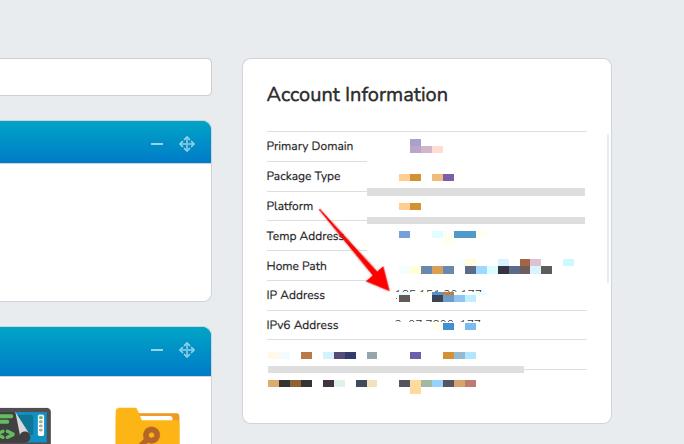
2. Once logged in on the right side panel, you can see the server IP where the website is hosted. Screenshot below:
Frequently asked questions about server IP:
Question: Can I use this given IP in our A record.
Answer: Please note our shared hosting system at controlpanel.systems is a cloud based server network thus we strongly recommend you not using custom dns zones always prefer to use our provided nameservers so that any IP changes if there within the cloud is not required to do manual changes for dns zones.
Question: Is there a problem if I host my website on UK / USA server, whereas my business in India?
Answer: Please note that we are living in 4g era and soon there will be 5g internet with us. Gone are the days when location was a major factor. So speed is not an issue these days based on what speed of internet we are all getting. A webpage is typically a few KB sized whereas we easily get a few MBPS speed over a typical Broadband / 4g sim.
We offer you a cloud hosting, where we also have free global CDN to ensure your website works faster from all over the globe, not just India or Europe or USA specific location.
The server location was a major point (in the past) when internet lines were on Dialup internet with 16-32Kbps internet which is no more an issue and when there was no CDN availability to ensure your website is globally distributed from CDN points not one dedicated server's fixed location.